
Automation License Manager is License Key management software of Simatic software from Siemen Automation License Manager V6.2 SP3 is the latest update that can help you to fix License related errors.
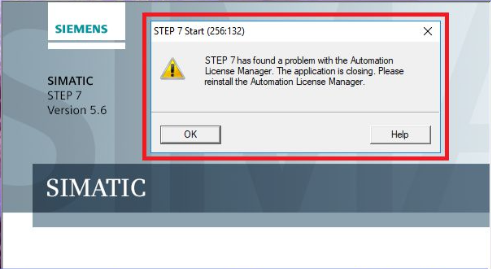
One of the common errors is that when we install TIA Portal, we will encounter a message displaying “Step 7 has found a problem with the Automation License Manager”, this is an extremely annoying error and if not handled, it is impossible use software.
Now we just need to update the latest version of Automation License Manager to fix this error easily.
+ Step 1: download Automation License Manager V6.2 SP3
+ Step 2: Close all programs before installation
+ Step 3: Uninstall old version software in control palen of PC
+ Step 4: extract Automation License Manager V6.2 SP3
+ Step 5: Run the installation file
+ Step 6: Follow the instructions and complete, restart PC
If you find it helpful, please like and share, and leave a comment with your issue. We will support you for free.
Thanks and Best Regards!