
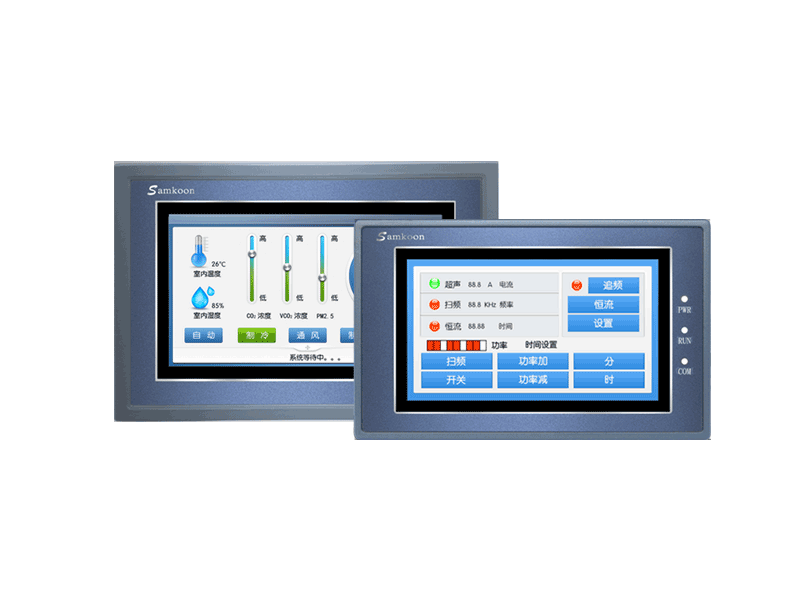
Human-Machine Interfaces (HMIs) are the heart of modern industrial automation, allowing operators to interact seamlessly with machines. Among the most reliable and budget-friendly HMIs on the market are Samkoon HMIs (such as the SK, AK, and EA series).
To program these screens, you need Samkoon’s dedicated software: SK Tool (also known as SKTool or SamDraw). In this article, you can find the direct links to download the software for free, along with a quick installation guide.
What is SK Tool Software?
SK Tool is the official configuration and programming software developed by Samkoon for its HMI lineup. It features a highly intuitive user interface, a rich graphical library, and robust simulation capabilities, making it an excellent choice for both beginners and experienced automation engineers.
Key Features of Samkoon SK Tool:
-
Multi-Language Support: Easily switch between English, Chinese, and other languages.
-
Extensive Driver Library: Supports communication protocols for almost all major PLC brands, including Siemens, Mitsubishi, Omron, Delta, Schneider, and Allen-Bradley, via RS232/RS485/Modbus.
-
Offline & Online Simulation: Test your HMI screens and logic on your PC without needing the physical HMI hardware.
-
Data Logging & Alarms: Built-in tools for setting up real-time alarms, historical data trends, and user recipe management.
Supported Samkoon HMI Models
SK Tool is highly compatible and supports a wide range of Samkoon HMI models, including:
-
SK Series: SK-043AE, SK-070AE, SK-070BE, SK-102AE, SK-102BE, etc.
-
AK Series: AK-043AE, AK-070AE, etc.
-
EA Series: Older legacy models.
⚠️ Note: For newer Samkoon HMI series (like the FGA, HMT, or SK-H series), Samkoon has transitioned to a newer software called Samkoon Studio. Please check your exact HMI model sticker before downloading.
Download Links for Samkoon SK Tool
Click the links below to download the official, virus-free setup installation packages:
Password for extraction (if required): 123 or automation
System Requirements
Before installing, ensure your PC meets the following minimum requirements:
-
Operating System: Windows 7, Windows 8, Windows 10, or Windows 11 (32-bit or 64-bit)
-
Processor: Intel Core i3 or higher
-
RAM: 4 GB minimum
-
Hard Disk: At least 1 GB of free space
-
Port: USB port for programming cable connection
Step-by-Step Installation Guide
Follow these simple steps to install SK Tool on your computer without errors:
-
Download and Extract: Download the
.zipor.rarfile from the links above. Use WinRAR or 7-Zip to extract it. -
Run the Installer: Right-click on the
Setup.exefile and select Run as Administrator. -
Select Language: Choose English during the setup prompt.
-
Follow the Wizard: Click Next, accept the license agreement, and choose your preferred installation directory.
-
Install USB Drivers: During the installation, the wizard might prompt you to install the Samkoon USB Driver. Make sure to check this option so your PC can recognize the HMI via a USB cable later.
-
Finish: Click Finish and restart your PC if prompted.
Now, open the software from your desktop shortcut and start creating your first HMI project!
Need Help?
If you encounter any issues during the download or installation process, or if you need the USB driver separately, feel free to leave a comment below or contact us. Don’t forget to bookmark this page for future automation software updates!