
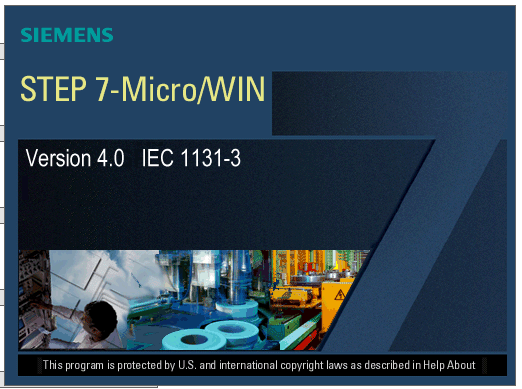
Are you looking for the official software to program and manage your Siemens SIMATIC S7-200 PLC?
STEP 7-Micro/WIN V4.0 SP9 is the latest and most stable version designed specifically for the S7-200 family. Whether you are maintaining an existing industrial system or developing a new automation project, this software provides a robust, user-friendly environment to get the job done efficiently.
Why Choose STEP 7-Micro/WIN V4.0 SP9?
STEP 7-Micro/WIN is engineered to maximize the capabilities of micro-controllers. The SP9 (Service Pack 9) version is highly recommended because it ensures compatibility with modern operating systems while maintaining support for classic hardware.
Key Features:
-
Full Compatibility: Supports all S7-200 CPUs, including CPU 221, 222, 224, 224XP, and 226.
-
Modern OS Support: Fully compatible with Windows 7 and Windows 10 (both 32-bit and 64-bit versions).
-
Versatile Programming: Supports Ladder Logic (LAD), Function Block Diagram (FBD), and Statement List (STL).
-
Advanced Libraries: Built-in support for PID loops, Modbus RTU, and USS protocols for drive communication.
-
Powerful Diagnostics: Real-time monitoring and status charts to simplify troubleshooting and debugging.
Technical Specifications
| Feature | Details |
| Software Name | STEP 7-Micro/WIN V4.0 SP9 |
| Developer | Siemens AG |
| Supported Hardware | SIMATIC S7-200 PLC Series |
| Operating System | Windows 7, Windows 10, Windows 11 |
| File Size | Approx. 300 MB |
| Interface Language | English, German, French, Spanish, Italian, Chinese |
Installation Guide for Windows 10/11
To ensure the software runs smoothly on newer versions of Windows, follow these recommended steps:
-
Download: Download the installation package from the link provided below.
-
Extract: Use WinRAR or 7-Zip to extract the folder.
-
Run as Admin: Right-click on the
Setup.exefile and select “Run as Administrator”. -
Configuration: After installation, go to the Control Panel and open “Set PG/PC Interface” to configure your PC/PPI cable connection.
-
Restart: We recommend restarting your computer to ensure all drivers are correctly initialized.
[FREE DOWNLOAD] STEP 7-Micro/WIN V4.0 SP9
Click the link below to start downloading the software. This is a clean, full version ready for your technical work.
👉 Download STEP 7-Micro/WIN V4.0 SP9 64 bit Here
👉 Download STEP 7-Micro/WIN V4.0 SP9 32 bit Here
Pass: giahungtech.vn
(Note: For professional communication, ensure you use a high-quality PC/PPI USB adapter cable for stable data transfer between your PC and the PLC.)
Disclaimer: This software is shared for maintenance, educational, and backup purposes. For large-scale industrial applications, please ensure compliance with Siemens licensing terms.