
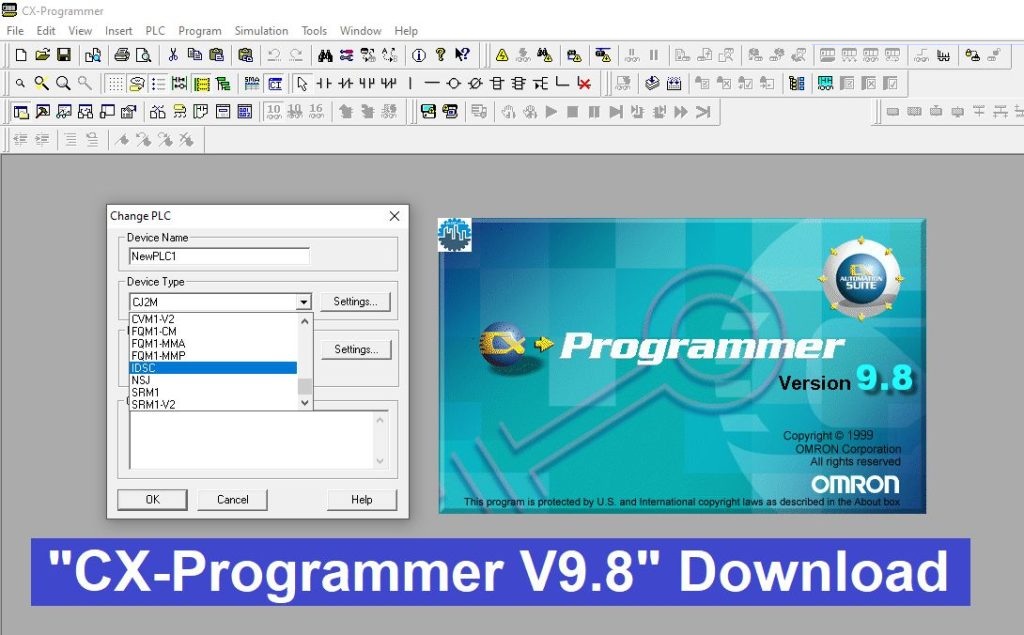
CX-Programmer V9.8 is the industry-standard software for programming, testing, and debugging Omron’s wide range of Programmable Logic Controllers (PLCs). As a key component of the CX-One software suite, version 9.8 offers enhanced stability and support for the latest PLC hardware, making it an essential tool for automation engineers and system integrators.
1. Key Highlights of CX-Programmer V9.8
-
Universal Compatibility: Supports a vast array of Omron PLCs, including the CJ1, CJ2, CS1, CP1H, CP1L, CP1E, and older series like the C200H.
-
Smart Input Mode: Accelerates programming with intuitive mnemonics and automatic address suggestions.
-
Integrated Simulation: Features CX-Simulator, allowing you to test your ladder logic in a virtual environment without needing a physical PLC.
-
Ethernet/IP Setup: Simplified configuration for networked systems and remote monitoring.
-
Function Blocks (FB): Supports reusable code blocks to reduce development time and improve program structure.
2. Supported PLC Series
-
CP Series: CP1H, CP1L, CP1E (Compact PLCs)
-
CJ Series: CJ1G/H/M, CJ2M, CJ2H (Modular PLCs)
-
CS Series: CS1G/H, CS1D (Rack-mount PLCs)
-
Older Models: C200H, CQM1, CPM1/CPM2A, SRM1.
3. System Requirements
-
Operating System: Windows 7, Windows 8.1, Windows 10, or Windows 11 (32-bit and 64-bit).
-
Processor: Intel Core i3 or higher recommended.
-
RAM: 2GB minimum (4GB or more for smooth performance with CX-Simulator).
-
Storage: At least 2.5GB of free space (for full CX-One installation).
4. Download Link (High Speed)
Click the button below to download the installation package for CX-Programmer V9.8:
[Link Download CX-Programmer V9.8 – Google Drive] (Password for extraction: if applicable, e.g., plcworldhub.com)
CX-Programmer V9.8 Update Version
5. Installation Instructions
-
Extract: Use WinRAR or 7-Zip to extract the downloaded file.
-
Run Setup: Open the folder and run
Setup.exe. -
Serial Key: Enter the license key
-
Selection: You can choose to install only CX-Programmer or the entire CX-One suite (including CX-Designer for HMI and CX-Drive for Inverters).
-
Restart: Once the installation is finished, restart your PC to finalize the driver configurations.
Technical Note: To connect to newer CP1E or CP1L PLCs via USB, ensure you have installed the Omron USB Driver (included in the installation package). If the “Comms” error persists, check your Device Manager to confirm the PLC is mapped to the correct virtual COM port.
Don’t forget to bookmark this page for more industrial automation software and technical guides!