
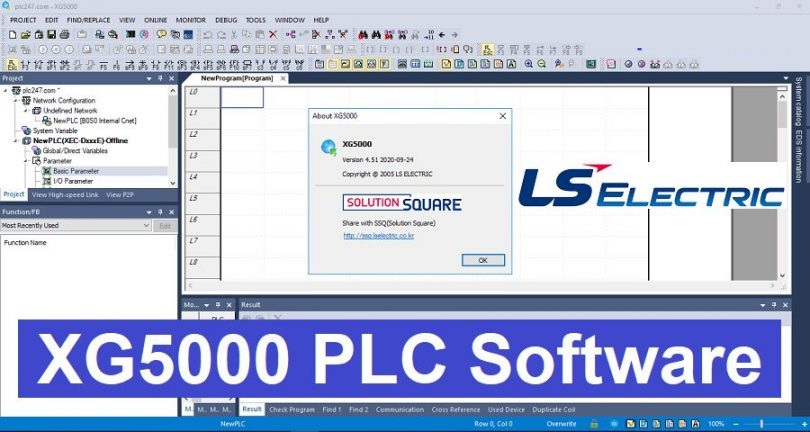
Are you looking for the latest stable version of the programming software for LS Electric (formerly LG Industrial Systems) PLCs? The XG5000 V4.51 is the essential tool for engineers working with the XGT and XGB series.
Key Features of XG5000 V4.51
XG5000 is a powerful, user-friendly tool designed for high-speed processing and easy maintenance of industrial control systems.
-
Multi-PLC Support: Compatible with XGK, XGI, XGR (Redundant), and XGB series.
-
Integrated Simulation: Test your logic without physical hardware using the built-in XG-Sim.
-
Multiple Programming Languages: Supports Ladder Diagram (LD), Instruction List (IL), and Structured Text (ST).
-
Enhanced Monitoring: Real-time data tracing and trend monitoring for efficient troubleshooting.
-
Communication Configuration: Easy setup for Ethernet (Profinet/EtherNet/IP) and Serial (Modbus RTU/ASCII) protocols.
Software Specifications
-
File Name: XG5000_V4.51_Setup.zip
-
Version: 4.51
-
Developer: LS Electric
-
OS Compatibility: Windows 7, 8, 10, and Windows 11 (32/64-bit)
-
File Size: Approximately 450 MB
System Requirements
To ensure smooth operation, your PC should meet the following minimum requirements:
-
CPU: Intel Core i3 or higher.
-
RAM: 2GB minimum (4GB recommended).
-
Storage: At least 1GB of free disk space.
-
Display: 1024 x 768 resolution.
How to Install XG5000
-
Download the zip file using the link below.
-
Extract the folder using WinRAR or 7-Zip.
-
Run the
Setup.exefile as Administrator. -
Follow the installation wizard prompts (Accept the terms and conditions).
-
Restart your computer after the installation is complete to finalize the drivers.
Download Link
Click the button below to start your free download. This file is hosted on a high-speed server for your convenience.
Note: If you are using a USB programming cable, the drivers are usually included within the installation package. If the device is not recognized, check the “Drivers” folder within the installation directory.
Looking for more industrial automation tools? Check out our software library for the latest HMI and PLC programming suites.