
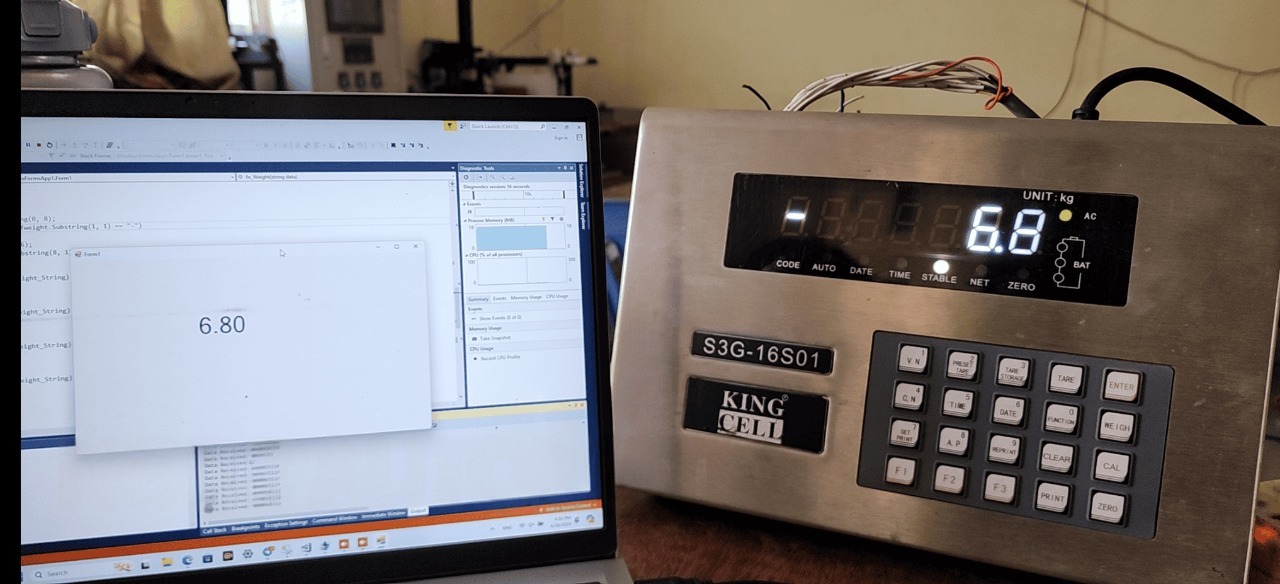
In electronic weighing systems, the load cell is typically connected to an indicator, which then outputs data via a Serial port (RS232 / RS485). The task of C# is to read and process this data.
1. Working Principle
Basic flow:
Load cell → Indicator → Serial (COM) → C# reads data
The indicator sends data as a string, for example:
or
2. Preparation
Hardware
- Load cell + indicator
- RS232 or RS485 cable (USB converter may be required)
Serial Parameters (very important)
You must check the correct parameters from the device:
- BaudRate: 9600 / 19200 / 38400
- DataBits: 7 or 8
- Parity: None / Even / Odd
- StopBits: 1 or 2
Common example:
3. C# Code to Read Serial Port
Use the library:
Basic Example
private void Form1_Load(object sender, EventArgs e)
{
serialPort.DataReceived += SerialPort_DataReceived;
serialPort.Open();
}
private void SerialPort_DataReceived(object sender, SerialDataReceivedEventArgs e)
{
string data = serialPort.ReadLine();
Invoke(new Action(() =>
{
txtWeight.Text = data;
}));
}
4. Processing Load Cell Data
Actual data often contains extra characters and needs filtering.
Example received string:
Extract numeric value:
string weight = System.Text.RegularExpressions.Regex
.Match(raw, @”[-+]?\d*\.?\d+”)
.Value;
txtWeight.Text = weight;
5. Data Reading Modes
5.1 ReadLine (most common)
Used when data ends with newline (\n):
5.2 ReadExisting
5.3 Read bytes (advanced)
serialPort.Read(buffer, 0, buffer.Length);
6. Common Issues and Solutions
6.1 No data received
- Wrong COM port
- Wrong BaudRate
- Port not opened
6.2 Garbled data
- Wrong Parity / DataBits
- RS232 vs RS485 mismatch
6.3 DataReceived event not triggered
- Event not assigned
- Device not sending data
6.4 Application freezes
- Not using
Invoke()when updating UI
7. Quick Testing with Software
Before coding, test using:
- Hercules
- Serial Port Monitor
- PuTTY
→ If these tools cannot read data → C# won’t either
8. Practical Tips
Always ask the manufacturer:
- Data format
- Protocol (ASCII or Modbus)
If using RS485:
- It may use Modbus RTU → not simple string reading
Some indicators require sending a command before returning data.
9. Advanced Example (Auto Reconnect)
{
try
{
if (!serialPort.IsOpen)
{
serialPort.Open();
}
}
catch
{
// retry later
}
}
Conclusion
Reading load cell data via Serial in C# is not difficult. The most important points are:
- Correct COM parameters
- Understanding the data format
- Proper string processing